

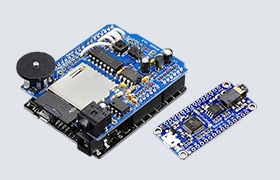






Adafruit eInk Feather Friend Board with 32KB SRAM
Adafruit eInk Feather Friend Board with 32KB SRAM is designed to make it easy to add an eInk display. Adafruit has Arduino/CircuitPython drivers for all of Adafruit Feathers, so adding an eInk display makes sense. Just about every small-to-medium-size eInk display has a standard 24-pin connection. This eInk Feather Friend will add all the power supply support circuitry and level shifting so the user can attach a display (up to tri-color 4.2") and wire it to a development board.
Using Adafruit CircuitPython or Arduino libraries, the user can create a frame buffer with what pixels they want to have activated and then write that to the display. The eInk Feather Friend has a 256 kilobit (32 kilobytes) SRAM chip. That means the user can control up to a 4.2" 300x400 tri-color display (300x400 x 2 colors/8 bits-per-byte = 30KB). This chip shares the eInk display's SPI port, so the user only needs one extra pin. The user can use the SRAM to set up whatever the user wants to display, then shuffle data from SRAM to eInk when ready. The library from Adafruit does all the work for the user. The user can interface with it as if it were an Adafruit_GFX-compatible display. If it is preferred to use the chip, Adafruit libraries will automatically use the microcontroller/microcomputer's internal RAM.
The eInk Feather Friend also has a MicroSD socket to store images, text files, or whatever the user wants on the display. It comes assembled and tested with some headers. The user will need a soldering iron to attach the header and install it onto the Feather. Stacking headers will let the user put another FeatherWing on top. The eInk Feather Friend does not have an eInk display or extension cable. It uses just about any eInk display with a 24-pin FPC connector.